ICS Phishing: When Your Calendar Becomes the Attack Surface
- December 14, 2025
- 9 mins
- Red Team Tactics
ICS (iCalendar) phishing is a textbook example of living off trust. Instead of abusing software vulnerabilities, attackers abuse user expectations and platform defaults.
Most email security tools treat .ics files as harmless, static text attachments. Calendar applications, on the other hand, often treat them as actionable instructions. That gap is exactly where this tactic lives.
Recent reporting shows a surge in attackers using calendar invites to deliver phishing links that bypass inbox scrutiny and land directly inside trusted calendar applications like Microsoft Outlook and Google Calendar.
Why This Matters
ICS phishing is not new, but its effectiveness is growing because it aligns perfectly with modern work patterns.
- Calendars are trusted.
- Reminders feel urgent.
- Security controls lag behind user workflows.
This is not a failure of technology. It is a failure of assumed safety.
The Tactic: ICS Calendar Injection
In this attack, the threat actor does not send a traditional phishing link. They send a meeting invite.
How the Attack Works
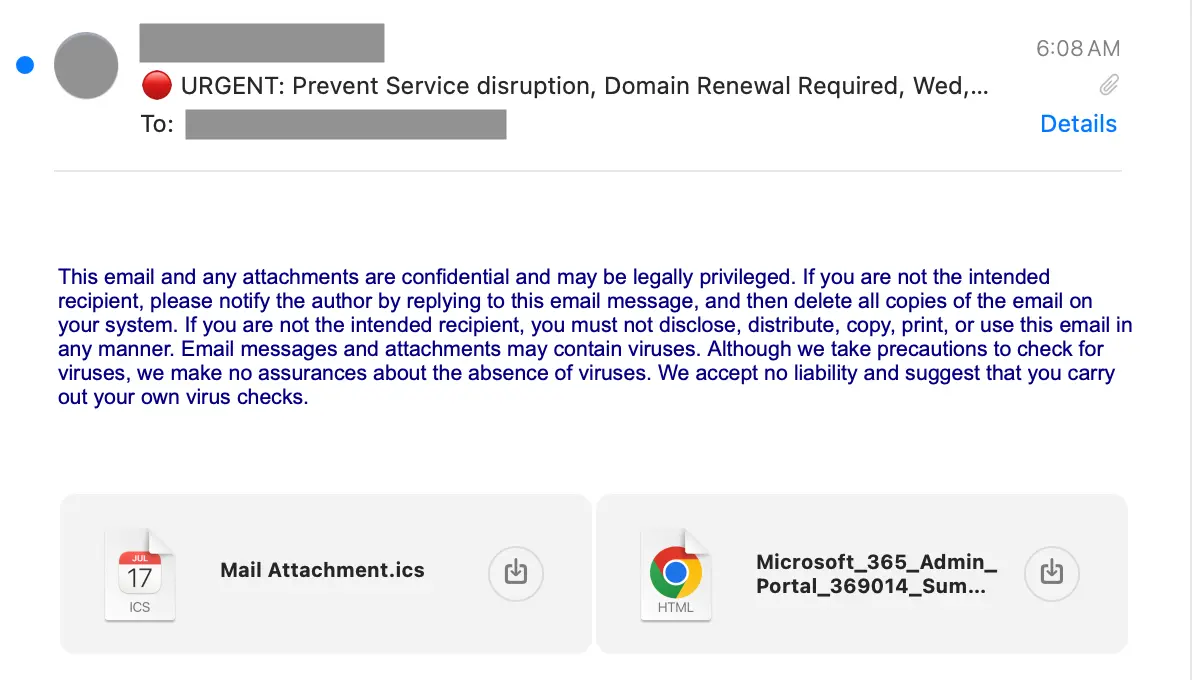
- The attacker emails a crafted
.icsfile - The calendar client auto-processes the invite
- The event appears on the user’s calendar before the email is opened
- Malicious links or instructions live inside trusted calendar fields
Commonly abused fields include:
SUMMARYDESCRIPTIONLOCATION
Because the event exists inside the calendar UI, the phishing content is now presented through a trusted application, not an email body.
Red Team View: Why ICS Phishing Converts
From an offensive perspective, ICS phishing is effective because it attacks attention, timing, and trust, not technical controls.
1. Escaping Inbox Fatigue
Users are trained to ignore suspicious emails. They are not trained to ignore calendar reminders.
By configuring a meeting reminder for 5 or 10 minutes before the event, attackers force a high-pressure interaction when the user is distracted and time-constrained. Mobile push notifications amplify this effect.
2. Hiding in Business Context
ICS lures are deliberately boring and familiar. Red Teams rely on routine business workflows to reduce suspicion.
Common examples include:
- Payroll or finance: “Urgent: Payroll Discrepancy Review”
- IT or security: “Security Patch Verification Call”
- External partners: “Updated Contract Discussion”
The malicious link is placed in the LOCATION or DESCRIPTION field, which users are conditioned to click.
3. Passive Recon via Auto-Responses
In some environments, declining a meeting invite sends an automated response back to the organizer. This confirms:
- The mailbox exists
- The calendar is actively used
- The user interacted with the invite
That signal is often enough to justify a follow-up spear-phishing attempt.
Blue Team View: Why This Is Hard to Contain
ICS phishing persists because it outlives the email.
1. The Residual Calendar Problem
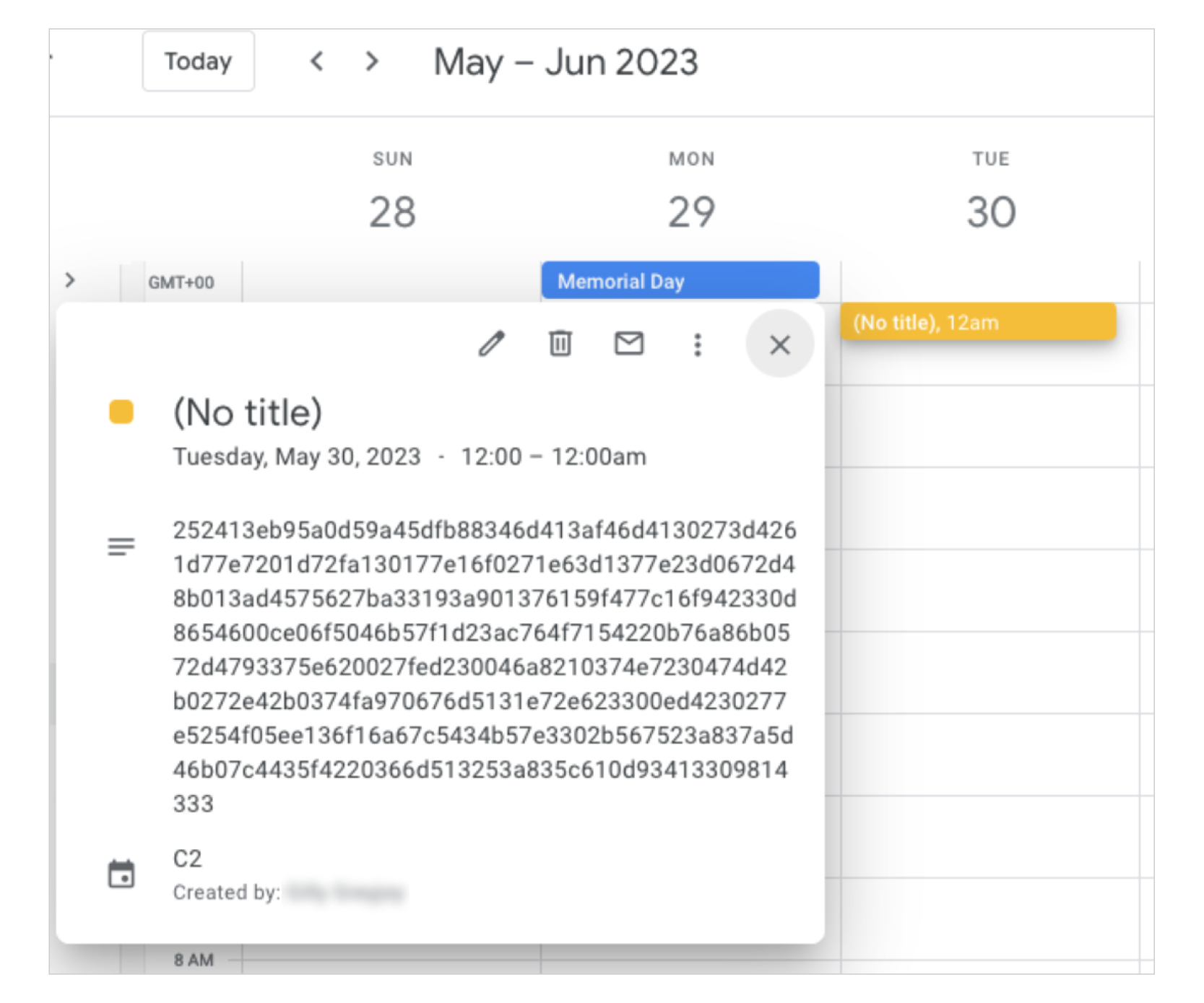
Deleting the phishing email does not necessarily remove the calendar entry:
- The event remains visible
- The reminder still fires
- The malicious link is still clickable
This creates a blind spot where users believe the threat is gone, but the payload remains active.

2. Treating ICS as Active Content
Many Secure Email Gateways still treat .ics files as low-risk attachments. Blue Teams should treat ICS files more like HTML than text:
- Parse calendar fields
- Inspect embedded URLs
- Apply reputation and detonation logic to links inside calendar metadata
Because ICS is plain text, it is trivial for attackers to embed malicious infrastructure without triggering file-based detection.
3. Behavioral Signals That Matter
Defenders should hunt for patterns rather than payloads:
- External organizers sending internal meeting requests
- Organizer domain mismatch with sender domain
- High-volume calendar invites sent in short bursts
- Identical meeting templates across many recipients
These indicators often surface calendar-based phishing campaigns before users report them.
Red vs Blue Summary
| Area | Red Team | Blue Team |
|---|---|---|
| Delivery | Uses .ics to bypass attachment controls | Treat .ics as active content |
| Trust | Exploits confidence in calendars | Train users to distrust unexpected invites |
| Persistence | Event remains after email deletion | Automate calendar event cleanup |
| Signal | Relies on reminders and urgency | Monitor invite patterns and metadata |
Remediation and Hardening Steps
Platform Controls
Google Workspace: Prevent Silent Calendar Injection
Depending on how Google Workspace is configured, attackers may be able to add calendar events without sending a visible email. This enables so-called silent invites, where the malicious event appears directly on the user’s calendar.
To reduce this risk, administrators can enforce stricter invite handling at the org level:
Google Workspace Admin Console path:
Apps → Google Workspace → Calendar → Advanced settingsRecommended setting:
- Set “Add invitations to my calendar” to:
- Invitations from known senders, or
- Invitations users have responded to via email
This ensures that external calendar invites do not automatically populate user calendars unless there is explicit interaction or sender trust.
Microsoft 365: Mitigation Not Fully Explored
As of publication, we have not verified an equivalent tenant-wide mitigation in Microsoft 365 that fully prevents calendar events from being added prior to user interaction.
While Microsoft Defender and Exchange Online Protection have improved phishing remediation workflows, calendar-specific controls remain less transparent. Organizations should assume that calendar artifacts may persist even after email removal and plan response workflows accordingly.
Detection and Response
- Ensure phishing remediation tooling also removes associated calendar events
- Use APIs (for example, Microsoft Graph) to search for and purge malicious calendar entries
- Alert SOC analysts when phishing emails contain
.icsattachments or calendar MIME types
User Awareness
- Reinforce that calendar invites are not inherently safe
- Encourage users to verify unexpected meetings, especially those with embedded links
- Promote the rule: If you didn’t schedule it, don’t click it